Security
Security Systems Kit
Cameras, access control, alarms, and fire safety, sold as one system — not four separate vendors to coordinate.
A persistent response-time-and-phone bar and four systems presented as one platform — not another blue-and-shield template every installer's site already looks like.
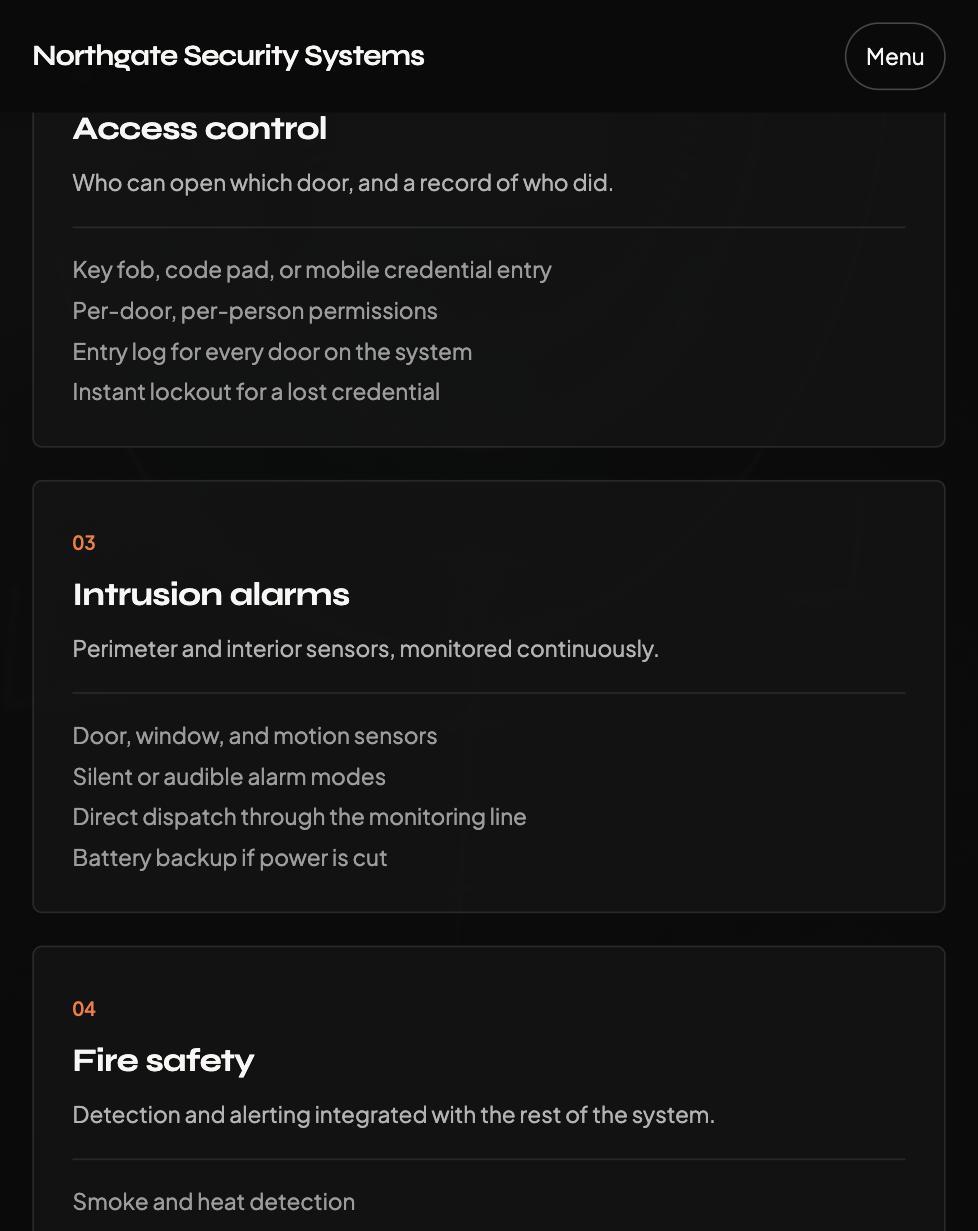
The Security Systems Kit is a complete, production-ready website for security-systems installers — video surveillance, access control, intrusion alarms, fire safety — anywhere the job is to be reachable, and to prove it before the first phone call.
It breaks from the blue-and-shield template every installer's site defaults to — the industry's own genre look, interchangeable between an alarm company and an insurance company — in favour of an owned identity: near-black and signal orange instead of navy-and-blue, a geometric display face paired with a humanist body face, and a single aperture-ring motif (a segmented camera-iris shape) drawn once for this kit and reused exactly three times, never a generic shield.
The homepage leads with a persistent response-time-and-phone bar, echoed above the nav on every scroll — the real conversion element, ahead of a generic "Get a Quote" button. Below that, the four systems are presented as facets of one integrated platform sharing a control panel, not four disconnected service cards, followed by a full-bleed diagonal-cut trust band restating the response-time promise at scale.
Built on Next.js 16 and Tailwind CSS 4, with Framer Motion powering restrained scroll reveals and one slow ambient rotation on the hero motif — exported to plain static files, so it loads fast, ranks well, and runs on free hosting with nothing to go down at 2am.
It won't invent a response-time promise, a sites-monitored count, or a licensing credential the installer didn't give it — no reviews yet, and the reviews section simply doesn't render, not a placeholder quote to replace later. Until an installer supplies their own team or install photos, the hero shows a designed placeholder frame instead of a stock photo of someone else's technician. The assessment-request form falls back to a real phone number rather than a dead submission when no form key is set. Every word — which systems are offered, the real response-time promise, contact details — lives in a couple of config and data files, and going live is dragging a folder onto Cloudflare: no GitHub account and no command line at any point.
Technical details
- Framework
- Next.js 16 (App Router) + TypeScript
- Styling
- Tailwind CSS 4 — near-black + signal-orange design tokens
- Animation
- Framer Motion — restrained scroll reveals plus one slow ambient rotation on the owned motif, reduced-motion aware
- Rendering
- Static export — no backend, no database, no third-party tracking by default
- Content
- lib/site-config.ts + data/services.ts + data/reviews.ts + lib/faqs.ts
- Included pages
- Landing (hero, services, trust band, about, reviews, FAQ, contact) + Privacy, Terms, 404
- Hero
- Persistent response-time + phone + CTA bar, echoed above the nav — the real conversion element
- Contact form
- Web3Forms — free, no server, falls back to a real phone number if no key is set
- Compliance
- Honest, cookie-free-by-default cookie notice; GDPR-style Privacy Policy and Terms covering recorded footage, access logs, and monitoring contracts
- Deploy
- Browser-only: drag the folder onto Cloudflare Pages or Drop — no GitHub, no code to go live
In the download
- Website Build Prompt — the file you drop into your AI coding assistant to build your live site from your real systems, response-time promise, and contact details
- A finished example site (zip) with the AI config and deploy guide built in, so you can preview, click through, and read the code before you commit to anything
- A pre-built, ready-to-deploy static export — drag it straight onto Cloudflare today and see a live URL in under a minute, placeholder content and all
- PERSONALIZE.md — a launch checklist that tells an AI exactly what's already done and exactly what it needs to ask you for
- DEPLOY-GUIDE.md — a zero-terminal walkthrough to get permanently live in about ten minutes
- A persistent response-time-and-phone Hero UI bar, not a generic "Get a Quote" button
- The four systems presented as one integrated platform, not four disconnected service cards
- A designed photo-placeholder frame for team/install photos — never a stock photo standing in for your own crew
- Reviews section that hides itself automatically until you add real ones — never a fabricated quote or credential
- Privacy Policy and Terms of Service — a GDPR-style starting point covering recorded footage and access logs, clearly marked as needing review before launch
- An honest, cookie-free-by-default cookie notice
- Security headers for both Cloudflare Pages and a traditional Apache host
- A branded 404 error page
Make it yours
Every word on the site — your name, headline, prices, services, testimonials — lives in a single config file. Change your text there and the whole site updates.
Prefer to talk instead of type? Open the folder in an AI assistant and tell it what to change: "swap the pricing to €29 and €79," "link my button to my Calendly." A Template Customization Prompts pack walks you through it.
AI editing needs a Claude plan, about $20/month; plain text edits are free, done yourself in the files.
How you get it live
Get your Build Prompt
One payment. Instant download — the prompt file, ready to run in your AI assistant.
Run the prompt
Drop it into Claude Code or your AI coding assistant (a paid plan, about $20/month). It works through a checklist, asks for your real business details, and builds your site on your own computer.
Go live — free!
Drag your finished site into Cloudflare Drop for an instant no-account preview, or Cloudflare Pages for a permanent free address. No GitHub, no terminal.
Edit anytime
Ask your AI assistant for more changes in plain English, right in the same project, then drag the updated site back to redeploy — free either way.
Works for
Honest about what it is
This is a fast, professional marketing site — not a booking system or a database-backed app. It's built to win the client, then send them to your calendar or inbox. If that's what you need, it's exactly right. And one more honest thing: the screenshots are a real site, built by hand, to show you the concept — not a file you receive. Your AI assistant builds a close, similar design from the prompt, not a pixel-identical copy.
Explore other kits
Frequently asked questions
Is there a way to build more than one site with this?
Yes — this kit is one finished website for this niche. If you want to build client-ready websites for any niche, not just this one, see the Website Build Prompt: a beginner's book plus the universal prompt system that builds every kit in this shop.
Do I need to know how to code?
No. The deploy guide covers every click, browser-only. To change text, edit one config file or ask an AI assistant using the included prompt pack — no coding.
How long until my site is live?
30–60 minutes the first time, including setting up a free Cloudflare account. No GitHub needed. After that, edits are much faster.
Can I build this for a paying client?
Yes — build and sell a site to a client using this template. You just can't resell or redistribute the template files themselves.
Are the legal pages ready to use?
They're generated for a real jurisdiction and clearly marked as templates. Replace the bracketed placeholders with your real details and have a lawyer review before launch.
What if something breaks?
The deploy guide covers the common issues. Beyond that: paste the exact error into an AI coding assistant and ask it to fix it — that solves most things.
Don't want the stress? I'll build it for you.
No AI chat, no prompts, no deploy guide — tell me what you need and I'll build and hand you a live site.
Get a quote →I reply within 24 hours — real quote, no automated reply.
License: Single-business use. Build your own site with it — don't resell or redistribute the template files themselves.
Questions before you buy? Message me on Instagram — I answer every message personally.
“Whatever you do, work at it with all your heart.” — Colossians 3:23